

Set the evidence budget
The evidence budget is how much protected source detail, in bytes, a Harness Specialist gets for analysis. A larger budget can save extra calls for long descriptions, and it uses more input tokens. The default is 40000 bytes.
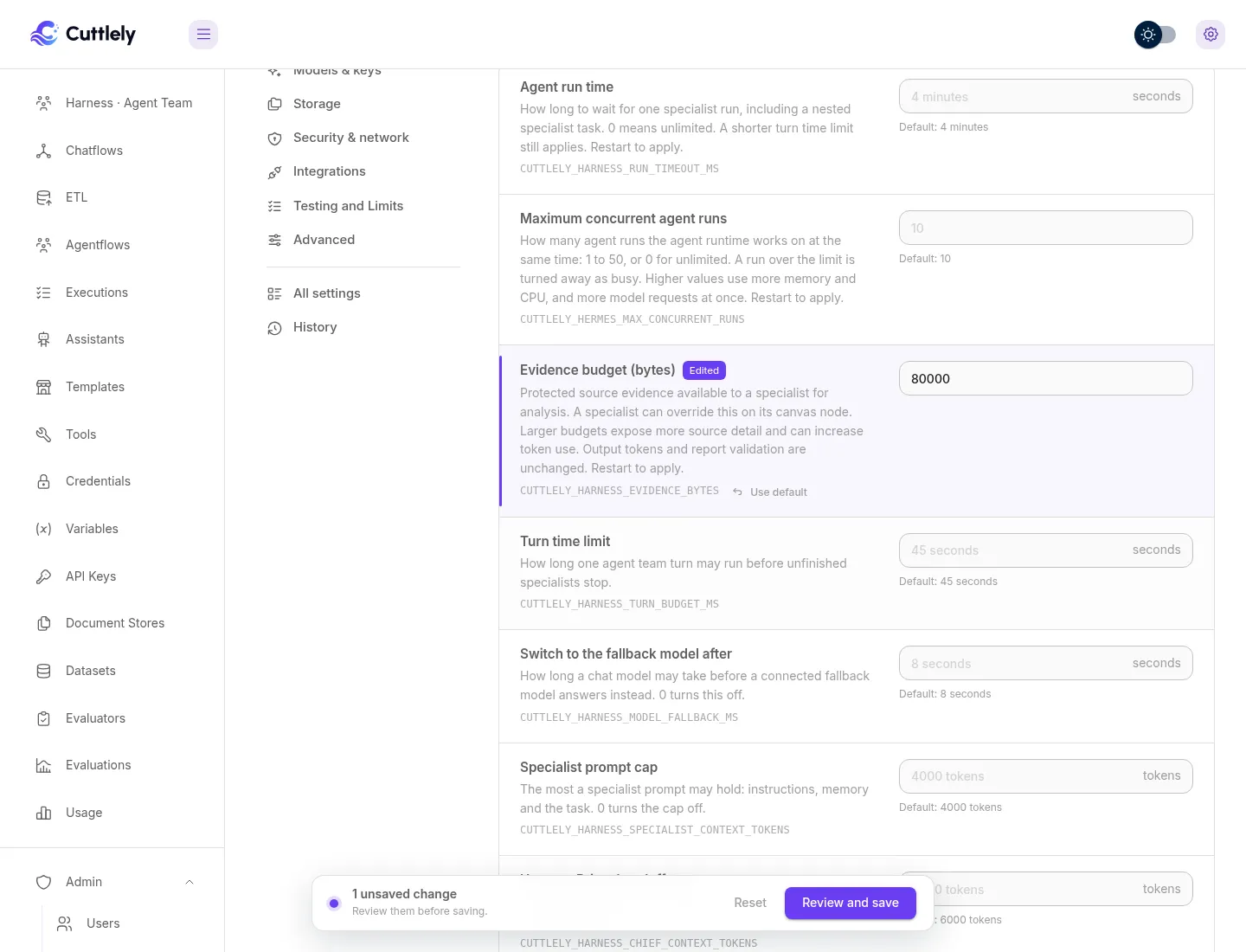
Set it for the server
Section titled “Set it for the server”- Open Admin > Server settings and choose Agent runtime.
- Under Limits, enter a value in Evidence budget (bytes). The range is 4096 to 262144.
- Review and save, then restart Cuttlely to apply.
When the host sets CUTTLELY_HARNESS_EVIDENCE_BYTES, the field is locked and shows that it is set by the host.
Set it for one specialist
Section titled “Set it for one specialist”- Open the harness canvas and select the Harness Specialist.
- In its additional parameters, enter Evidence budget (bytes). Leave it blank to use the server value.
- Save the canvas.
The value is kept when you export and import the canvas.
What does not change
Section titled “What does not change”- Output-token limits and report validation stay the same.
- Specialist runs use the selected context model, so a model with a small context still gets a smaller cap.
- Source reports are the same; only the detail available for analysis changes.
See Server settings and Evidence budget.