

Users without AuthKit
Use this when several people sign in with email and password on a server you run, and you are not using WorkOS AuthKit. It is off until you turn it on. The first owner is still created with the setup code. There is no default password.
Inviting someone in the app creates a pending (invited) user with no password. Only that person’s one-time invite link makes them active: here it lets them choose a password, and with AuthKit on it lets them sign in with WorkOS. To let that person choose a password, ask for a one-time link. The link is shown once. It is as strong as a password: do not share it, and do not paste it into a chat. If it is lost, issue a new one. The old one stops working.
The owner password form (CUTTLELY_LOCAL_ADMIN) is a separate switch. Sign in covers that one account. This page is the switch for every other user who already has a password.
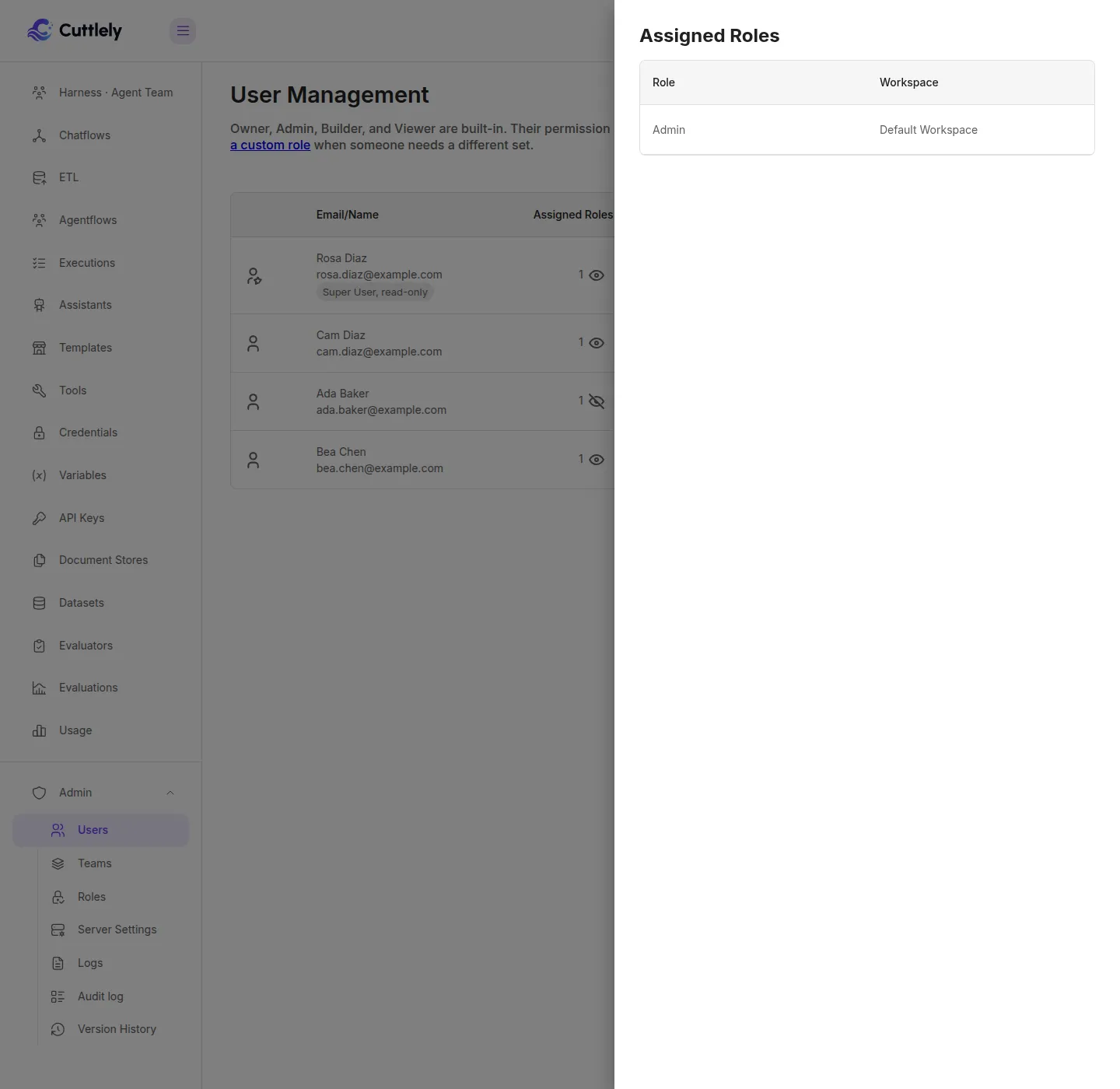
Admin > Users lists the people on this server. Owner, Admin, Builder, and Viewer are built-in. Their permission sets are fixed.
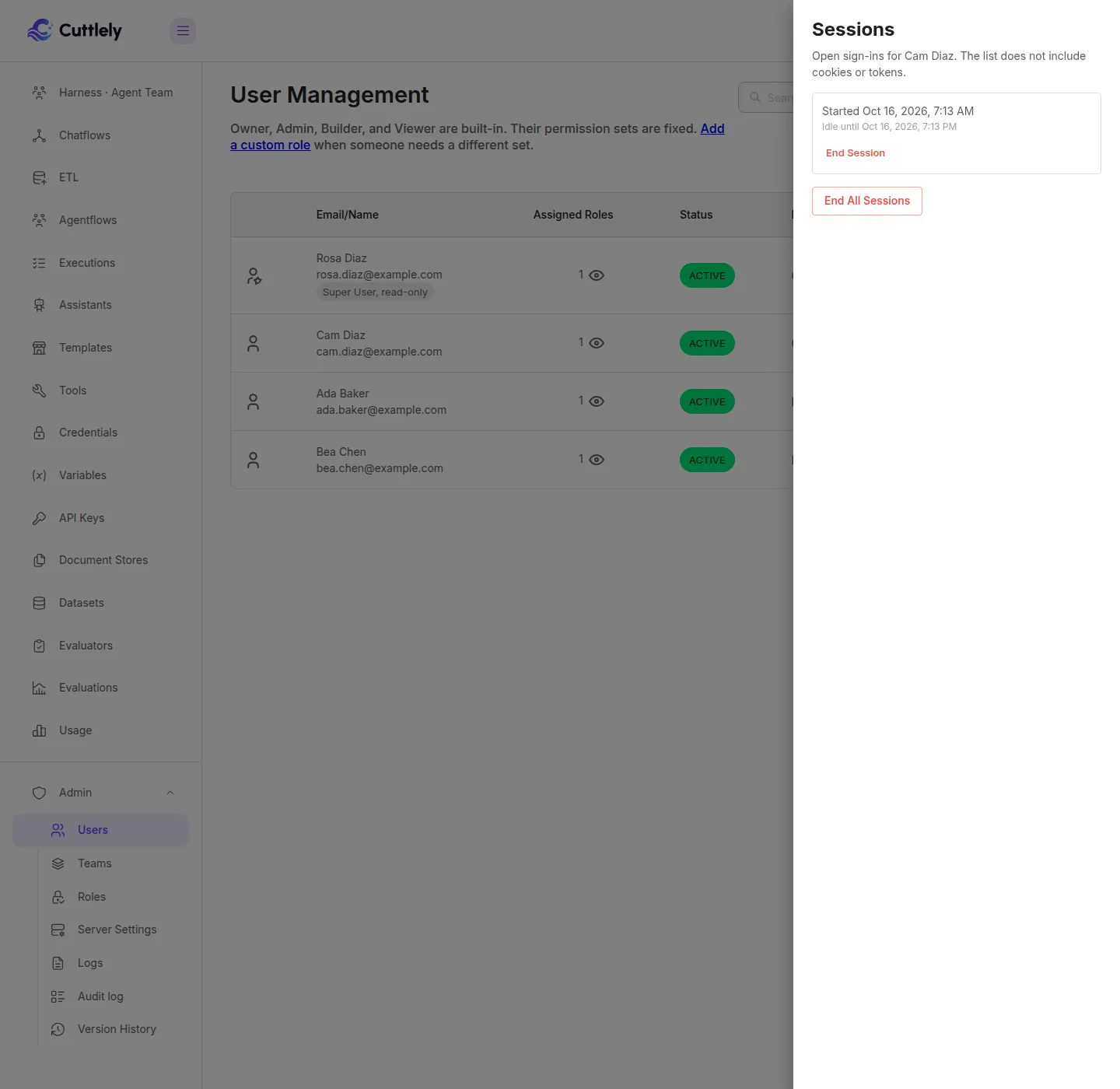
Sessions on a row lists that person’s open sign-ins. The list shows when the sign-in started and when it goes idle. It does not include cookies or tokens.
Turn it on
Section titled “Turn it on”Set CUTTLELY_LOCAL_USERS to exactly true and restart. In Admin > Server Settings > Sign-in & identity, the switch is Local user passwords. It is off unless you set it.
Leave AuthKit unset. If WORKOS_API_KEY and WORKOS_CLIENT_ID are both set, this mode stays off. The owner break-glass form can still be on. The combinations are in the Auth API.
Sign in
Section titled “Sign in”Open /signin. When this mode is on, the page shows Email and Password and posts to POST /api/v1/auth/local/login with the header x-request-from: internal. A request without that header is refused and does not set a cookie.
A wrong email, an unknown email, an invited user with no password, and a disabled user all show Invalid email or password. Ten failures in 15 minutes, from one browser address or against one email, show Too many sign-in attempts. Try again later. An unknown email locks the same way.
The session is that user. It does not make them the organization owner. A role change applies on the next request. Disabling the user, signing out, or changing the password ends the session, including after a restart.
Change your password
Section titled “Change your password”While signed in, POST /api/v1/auth/local/password with the current password and a new one. The request needs the header x-request-from: internal, which the Cuttlely app sends. The new password has to meet the usual strength rules and must differ from the current one. Other browsers are signed out. This browser stays signed in with a new cookie.
Sign out with POST /api/v1/auth/local/logout and the same header. Calling it twice is fine.
GET /api/v1/auth/options lists the methods that are actually on and the AuthKit switch status. While this mode is on and AuthKit is off, status.localPasswordSignIn is true and status.localSessions is open.
Turn AuthKit on
Section titled “Turn AuthKit on”Set WORKOS_API_KEY and WORKOS_CLIENT_ID, then restart. Local password sign-in turns off. The owner break-glass form stays on only when CUTTLELY_LOCAL_ADMIN is exactly true.
On that start, every existing local session ends, including the owner’s. People sign in again. The owner uses the break-glass password. Everyone else uses AuthKit. A later restart of the web server does not end the sessions created after the switch. Only that web server records AuthKit as turned off. A queue worker that does not have the AuthKit environment does not change that record, so it cannot make the next web start end sessions again. Turning AuthKit off on the web server does not bring the ended sessions back.
AuthKit links an existing active user when the email AuthKit sends is verified and matches that user’s mailbox exactly. Letter case and spaces around the address are ignored. Ada@Example.com matches ada@example.com. ada+notes@example.com does not match ada@example.com, and neither does a different domain. An unverified email is refused. If two users have that mailbox, including in two teams, neither is linked and the sign-in stops. The password already stored is kept. A pending invite is never linked by email: that person needs their invite link. See Invite people.
GET /api/v1/auth/options reports the switch. After the restart, status.localSessions is ended and status.localPasswordSignIn is false. status.sessionsEnded is how many sessions that start deleted. The field names are in the Auth API.
Invite and reset links
Section titled “Invite and reset links”A person with users:manage, or with workspace:add-user for an invite into their own active team, can ask POST /api/v1/account/invite to return a one-time link by sending link: true with the name, email, team, and role. The response includes link once. The token sits in the URL fragment (#token=), not in the path or the query, so the server log does not receive it. The page at /local-accept reads that fragment, clears it from the address bar, and posts the token with the new password to POST /api/v1/auth/local/accept.
POST /api/v1/users/:id/reset-link does the same for someone who already has an account in the caller’s current team. For someone still pending it returns a new invite link instead, and the older invite link stops working. Saving that password ends every local session for that person. Issuing the link does not. The organization owner, an AuthKit-linked account, and a service account cannot be reset this way. A caller who is not the owner cannot reset someone whose role includes a permission the caller does not have, and cannot invite someone into a role they could not grant themselves.
If mail is not configured, link: false is refused and nothing is saved. Leave link off to keep the previous invite response, { "id" } only, with no email and no token, unless Invite delivery in Server settings says otherwise or AuthKit is on. With AuthKit on, an invite that omits link returns the link, and also emails it when mail is set. Copy link returns the URL when link is omitted. Email sends it when link is omitted. A request that sets link still wins. When the mail server and the sender address are both set, link: false emails the link and does not return it. If that reset email cannot be sent, the previous reset link for that team stays usable. The new token is marked used and is not a link anyone can open. A password that fails the strength rules is refused before the token is read, and the token stays unused. The sign-in page still has no Forgot password form.
An invite link lasts 72 hours. A reset link lasts 1 hour. Admin > Server Settings > Sign-in & identity sets INVITE_TOKEN_EXPIRY_IN_HOURS (1 to 168), PASSWORD_RESET_TOKEN_EXPIRY_IN_MINS (5 to 1440), invite delivery, and the mail server, port, TLS, user, and sender address. A value saved there overrides the environment and applies to the next invite, reset, or message. A blank, zero, negative, or non-integer value is ignored. A number below the minimum is raised to the minimum, and a number above the maximum is lowered to the maximum. Saving a number outside the range is refused. The mail password stays in the environment. The page shows whether it is set and does not reveal it. A newer link for the same person, purpose, and team replaces the older one. An invite does not cancel a reset, and a reset does not cancel an invite.
The field names, status codes, and cookie flags are in the Auth API. One-time links are in that same reference.
People, fixed roles, and open sessions for this mode are in Local users, roles, and sessions. Those routes answer 404 when this mode is off, including when AuthKit is configured.