

Your first 10 minutes
You need Docker and one model key. The steps use OpenAI. Any chat model provider listed under Credentials works the same way.
-
Get Cuttlely and start it:
Terminal window git clone https://github.com/cuttlely/cuttlely.gitcd cuttlelydocker compose up -dCompose pulls the published Cuttlely image. If it cannot pull it, Compose builds the image from your checkout instead, which takes several minutes the first time, and each long build step says which of four it is.
docker compose psshows(health: starting)until Cuttlely is ready, then(healthy). Opening http://localhost:43117 early shows a Cuttlely is starting page that opens Cuttlely by itself. -
When it is up, the server prints a one-time setup link. Show it with:
Terminal window docker compose logs cuttlely | grep "No account yet"Nothing yet? It is still starting. Run the command again in a few seconds.
-
Open the link and create your account. The password needs at least 8 characters, including a lowercase letter, an uppercase letter, a digit and a special character. You are signed in and land on Chatflows.
-
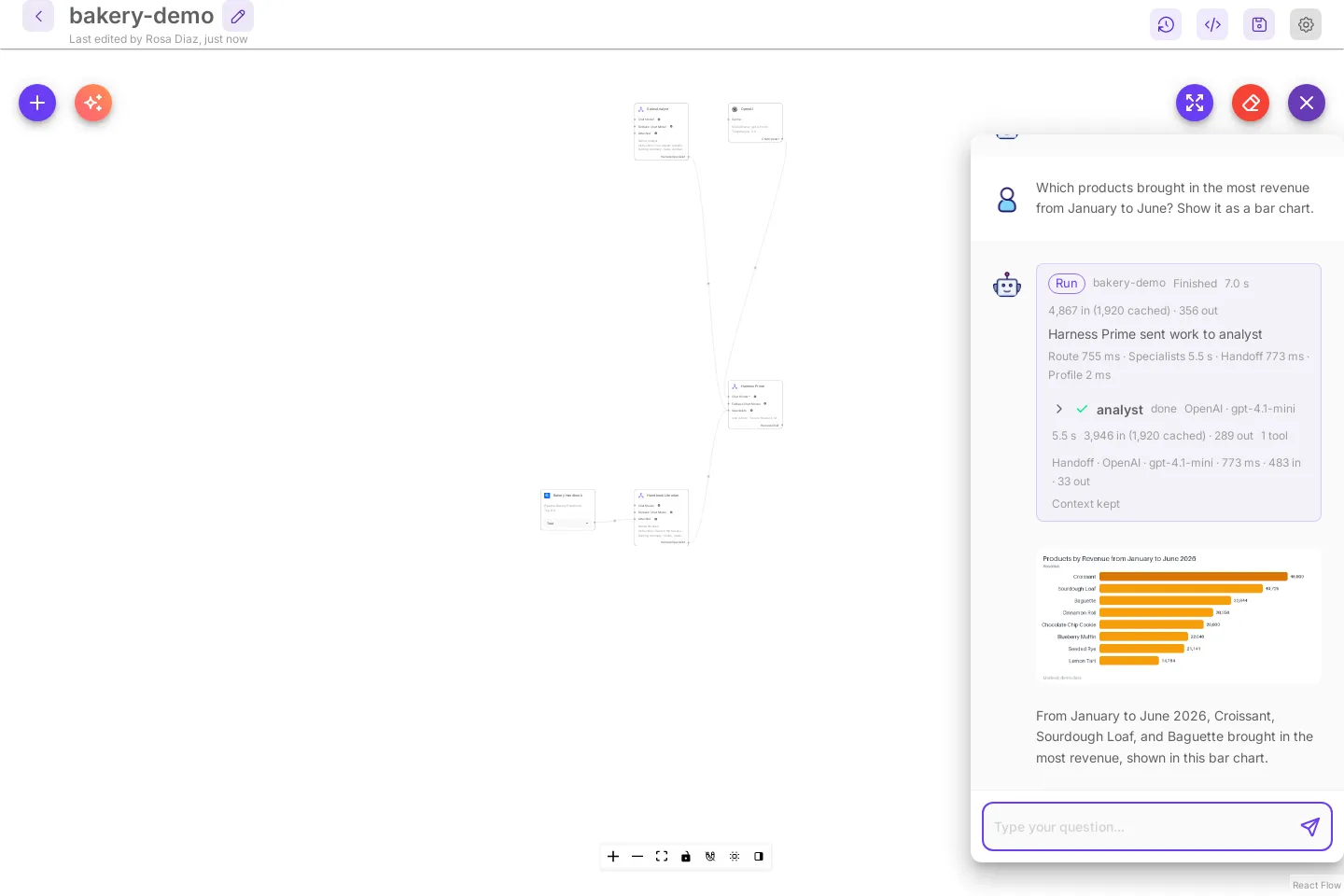
Try the demo. Chatflows shows a Try the demo card. Select Add a model key, choose OpenAI API, give it a name, paste the key, and select Add. The key is stored encrypted. Then select Try the demo: a ready-made bakery team opens with its chat open. Select the first starter question. The run card shows Harness Prime sending the work to the analyst, and a bar chart with the numbers from the made-up sales database appears in the chat. Try the demo shows each step.
-
Build your own team: open Harness · Agent Team, select New agent team, then Build with AI (the sparkle button). Your model and key are already picked under Chat model that builds. Pick one of the examples and select Build, then open the chat and select a starter question.
-
Next time, sign in at http://localhost:43117/signin with Sign in.
Next: put a pipeline behind your team, give a specialist its own tables, or publish a chatflow. Docker settings, volumes and upgrades are in Docker. To change the code, use From source.