

A/B test a change with Compare
Test with up to 100 question-and-answer pairs, with more on the roadmap.
A change on a chatflow, agentflow, or harness canvas saves to a draft. Live keeps serving the API, embeds, and shared links until you publish. Compare, in the Publish dialog, asks the same questions on Live and on your draft and shows the two answers side by side, so you see what the change does before anyone else does. A passing test set can then hold Publish until the draft passes.
Watch the testing run (56 seconds, sound on)
Compare Live and your draft
Section titled “Compare Live and your draft”- Edit the flow on its canvas and save. The save is a draft.
- Select Publish. Under Check recent questions, choose how many Past questions to ask. With the default cap the choices are 4, 10, 25, 50, and 100, and 4 is selected first. The check uses the newest questions people asked this flow, from the API, embeds, shared links, and the canvas test chat.
- Select Run check. Each question runs once on Live and once on your draft.
- Read the label on each row.
| Label | Meaning |
|---|---|
Same |
Both answers have the same words, ignoring capitals and spacing. |
Changed |
The words differ. Read both: the meaning may still be the same. |
Error |
One side could not answer, for example because it took over a minute. |
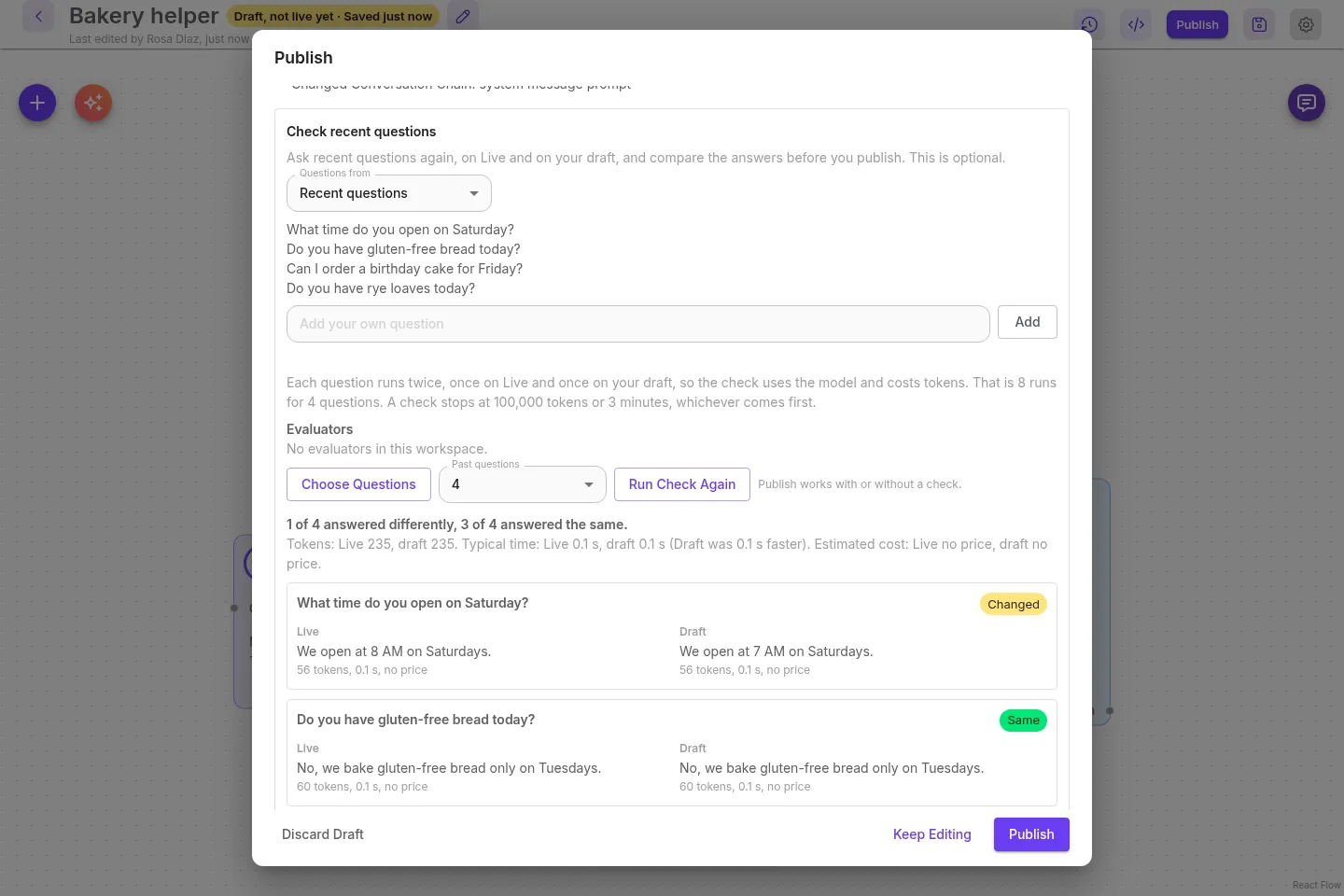
A model can word an answer a little differently between runs with no change, so Changed means “look at this one”, not “something broke”. The check never changes Live or your draft and leaves nothing in chat history. Publish works with or without it, unless the flow requires a passing test set.
To pick the questions yourself, select Choose questions. To ask a saved test set instead, choose A dataset under Questions from and tick the evaluators that score each answer. Each side then gets a pass rate. The full options are in Check recent questions before you publish.
Make Publish wait for a passing test set
Section titled “Make Publish wait for a passing test set”On a chatflow, or an agentflow that starts from chat, open the flow’s configuration and select Passing test set. Choose the dataset, tick the evaluators, set Pass at (100 by default), and turn on Require a passing test set before Publish. From then on, Publish stays disabled until the latest dataset check passed for the current draft and these settings.
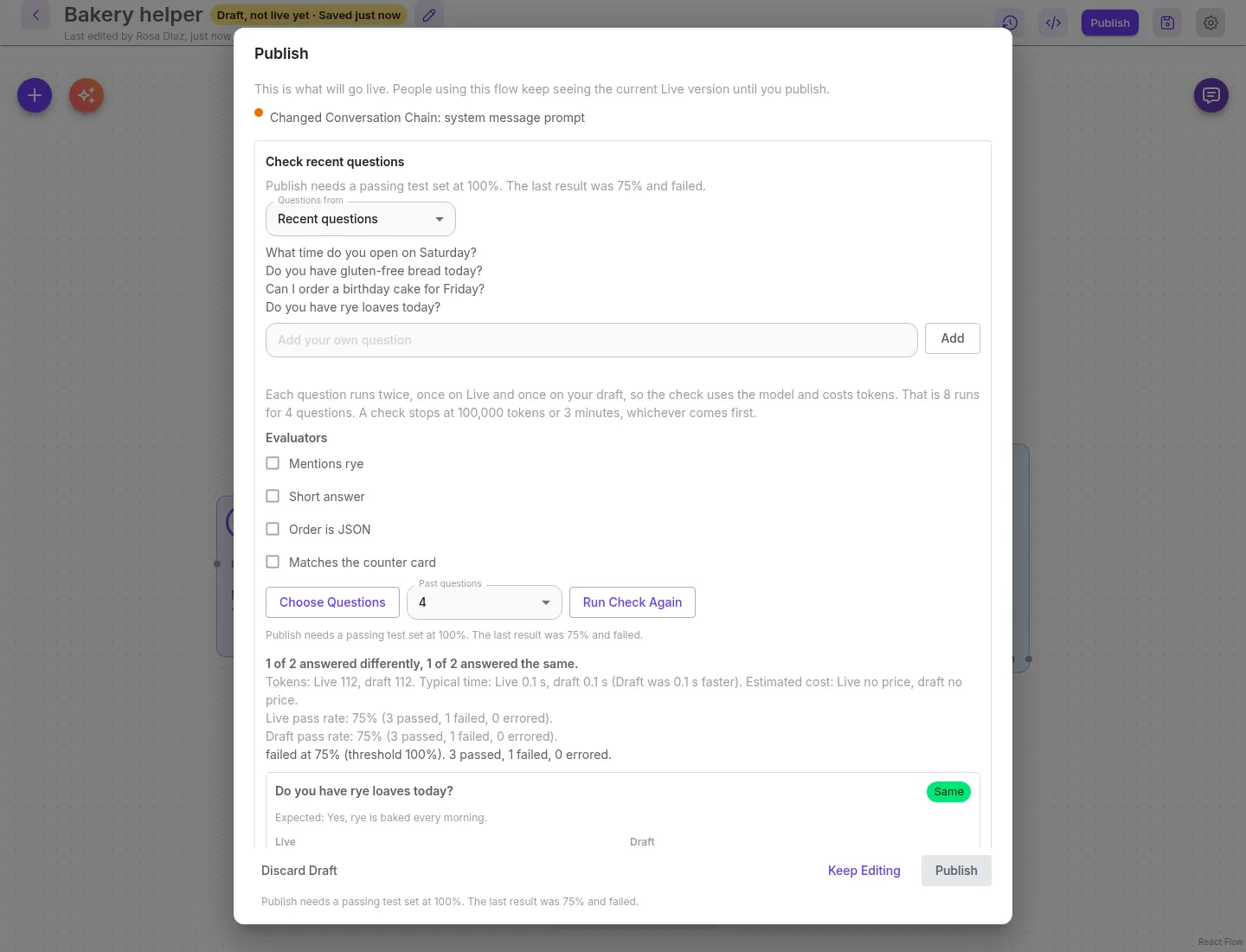
The gate covers Publish of the current draft only. Roll back, Promote, and PUT /api/v1/chatflows/:id can still change Live. A harness can score a dataset for one run, and that result is not stored as a pass. The details are in Require a passing test set before you publish.
- Turn real answers into tests builds a test set from rated answers in the message viewer.
- Evaluations covers datasets, evaluators, and the pass mark.
- Fail a build when answers change runs the same check from CI with
cuttlely check, including--gate.